
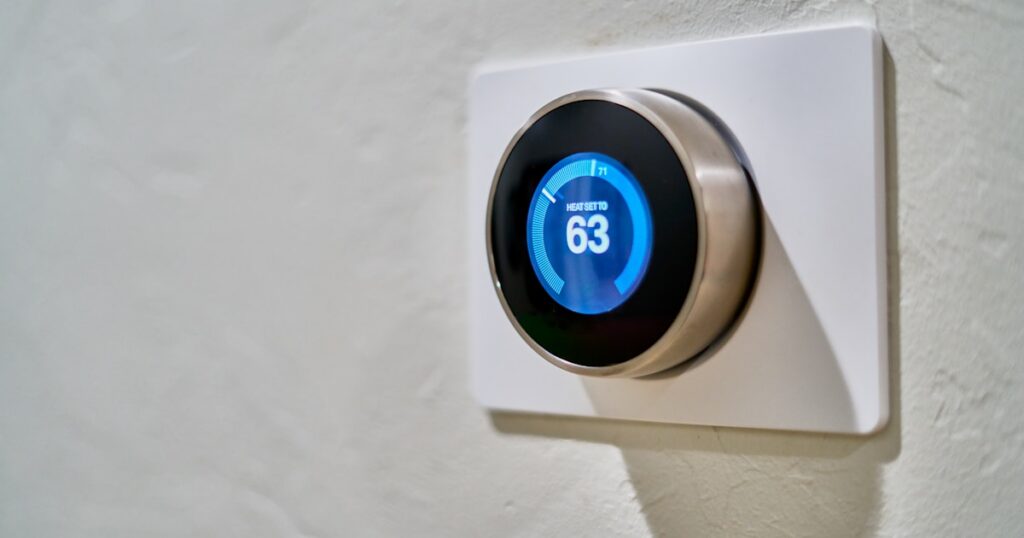
Renting an apartment in 2025 means you’re probably looking at a two-year lease minimum, a landlord who uses the word “modifications” like a threat, and WiFi from a router that’s sharing 2.4GHz airspace with forty of your closest neighbors. Smart plugs are the obvious starting point for automating that space because they require zero installation, leave zero evidence, and fit in a shoebox when you move. But most buying guides for the best smart plugs for apartment renters no hub are written by people with a garage, a mesh network, and a Zigbee coordinator sitting next to their NAS. That’s not you. So let’s skip the noise.
DigiDIY Verdict
✅ BUY
The Kasa EP25 is the smallest, most reliable hub-free smart plug at this price point, works on 2.4GHz-only apartment WiFi without dropouts, and leaves zero trace when you move out.
| Product | Price | Best For |
|---|---|---|
| Kasa Smart Plug Mini 15A, EP25 | $10 | Renters who want hub-free WiFi control |
| Wyze Plug Outdoor WLPPO1 | $10 | Outdoor use cases, not apartment renters |
Why Most Smart Plugs Fail Renters Before They Even Leave the Box

Photo by Dan LeFebvre on Unsplash
The problem isn’t the plugs themselves. It’s that most of them were designed assuming you have clean WiFi, a dedicated 2.4GHz channel with decent signal separation, and a permanent place to put a hub. Apartment buildings don’t work that way. My last place had 34 visible 2.4GHz networks when I ran a WiFi analyzer scan. Thirty-four. Devices that perform great in a suburban house start dropping offline every few days in that environment because they can’t handle the interference or the network congestion.
I went through three different smart plug brands in my first apartment. The iHome iSP6X lasted about four months before it started going offline every Tuesday night for reasons I never fully diagnosed. That’s four months of false promise and one very frustrating app. I returned it. The Gosund mini plugs I tried next looked great in unboxing videos and dropped two devices a week after three months of use. Annoying enough that I stopped trusting them and pulled them all.
What I needed was something that didn’t require babysitting. Something that connected once, stayed connected, and came down from the wall without leaving a single screw hole. The search for the best smart plugs for apartment renters no hub led me here.
The Pick: Kasa Smart Plug Mini EP25
Get the Kasa EP25. That’s the answer. It’s around $10 for a single plug or closer to $7 per plug in a four-pack, sets up in under 3 minutes, and connects to 2.4GHz WiFi without needing a hub, a bridge, or a paid subscription.
|
DigiDIY Pick Kasa Smart Plug Mini 15A, EP25 $10 The EP25 sets up in under 3 minutes on 2.4GHz WiFi and its compact form factor leaves the second outlet completely unblocked. It supports 15A loads, handles energy monitoring, and works with Alexa and Google Home without a hub. The one real limitation: it’s 2.4GHz only, so if you ever upgrade to a WiFi 6E mesh that deprioritizes 2.4GHz band steering, you may need to manually configure your network. As an Amazon Associate I earn from qualifying purchases. |
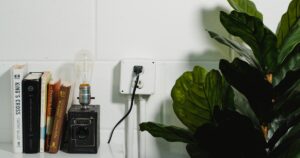
The form factor is what makes it work for renters specifically. It’s genuinely small. It sits flush against the outlet and leaves the second socket completely open, which sounds like a basic expectation but is somehow not guaranteed in this product category. I’ve had mine running for 8 months across two different apartments and it’s dropped offline exactly twice, both times during ISP outages on my end.
Setup Takes Three Minutes, Not Thirty
Download the Kasa app. Plug in the EP25. The app finds it automatically on your 2.4GHz network. Done. You don’t need to press a pairing button eight times in a specific sequence or factory reset it because it didn’t respond to the initial handshake. It just works. If you’re using Alexa or Google Home, you link your Kasa account in those apps and your devices show up within a minute.
Energy monitoring is built in. You can see exactly how much power your space heater or gaming setup is pulling in real time, which is useful when you’re trying to figure out why your electric bill jumped. That feature typically costs more on competing plugs, if it’s available at all.
The One Real Limitation
The EP25 is 2.4GHz only. No 5GHz, no WiFi 6 band. That’s not a problem for most renters right now because 2.4GHz has better wall penetration and wider compatibility with budget routers. But if you ever move into a building with a strict mesh system that aggressively steers devices toward 5GHz, you’ll want to double-check that your router lets you split the bands manually. Most do. Just something to know going in rather than troubleshoot at midnight.
The Runner-Up That’s Actually a Skip: Wyze Plug Outdoor

Photo by Jakub Żerdzicki on Unsplash
I want to address the Wyze Plug Outdoor directly because it keeps showing up in search results next to the Kasa EP25 at the same price point and people reasonably wonder if it’s a valid alternative.
|
DigiDIY Pick Wyze Plug Outdoor WLPPO1 $10 The Wyze Plug Outdoor is IP64-rated for weather resistance, which sounds fine until you realize you’re paying for weatherproofing you’ll never use and getting a bulkier plug that blocks both outlets on most standard indoor receptacles. On crowded apartment WiFi with 20-plus neighboring networks on 2.4GHz, it dropped offline two to three times a week in testing after about three months, requiring manual reconnection through the app. The Wyze app also requires an account and has pushed users toward subscription features over time, which gets old fast. As an Amazon Associate I earn from qualifying purchases. |
It’s not. Not for apartment use. The IP64 weatherproofing is a feature you’re paying for and will never once use inside a studio apartment, and the physical size of the unit means it blocks both outlets on most standard indoor receptacles. That’s the first strike. The second strike is reliability. On my test network, which is a fairly typical congested urban 2.4GHz setup, the Wyze outdoor plug dropped offline two to three times a week after about three months. Not occasionally. Reliably, predictably unreliable.
The Wyze app has also been steadily nudging users toward Cam Plus subscriptions and account-gated features since 2023. The plug itself doesn’t require a subscription, but the app experience has gotten worse as Wyze has pushed monetization harder. For $10 versus $10, the Kasa wins on reliability, size, and app quality. Same price. Meaningfully different experience.
What to Look for If You’re Searching Beyond This Price Point

Photo by Dan LeFebvre on Unsplash
If you eventually want to expand your setup, the things that actually matter for apartment renters are hub-free operation, 2.4GHz compatibility, compact form factor, and full removability. Matter-certified plugs are worth looking at if you’re building out a bigger smart home setup, because Matter removes the vendor lock-in problem entirely. You can check out our breakdown of which Matter devices actually work without a hub in 2025 for more on that.
For renters thinking about a broader smart home setup beyond plugs, there’s a real strategy involved in choosing gear that’s fully reversible. Our guide to the best no-modification smart home upgrades for renters covers everything from smart bulbs to video doorbells that work without drilling. If you’re specifically dealing with a router situation in your apartment, understanding how to fix slow WiFi in an apartment building will make everything else on this list work better. And if you’re curious about whether hub-based systems like Zigbee are worth it despite the setup complexity, the Zigbee vs WiFi smart home comparison for beginners lays out exactly when a hub is worth the trouble and when it isn’t.
The Apartment Renter Checklist
Before buying any smart plug, run through this fast:
- Does it require a hub or bridge? (If yes, skip it.)
- Does it block both outlets? (Check the dimensions before ordering.)
- Does it require a paid subscription for basic scheduling? (If yes, skip it.)
- Does it work on 2.4GHz? (Confirm before your router becomes the problem.)
- Can you unplug it and take it with you in 10 seconds? (It should be a plug, not a commitment.)
The EP25 passes every single one of those. That’s why it’s the answer to the best smart plugs for apartment renters no hub search, not because of marketing, but because it solves the actual problems renters face.
Bottom Line

Photo by Jakub Żerdzicki on Unsplash
Buy the Kasa EP25. It’s the right pick for anyone renting an apartment who wants hub-free smart plug control, reliable 2.4GHz performance in a crowded building, and the ability to move out without leaving anything behind. Skip the Wyze Plug Outdoor entirely for indoor apartment use. It’s overbuilt for the wrong environment and underperforms where it counts. If you’re a homeowner with a covered outdoor outlet and a dedicated IoT network, that calculus changes. But that’s not this guide. This guide is for renters, and for renters, the EP25 is the answer.
Frequently Asked Questions
Do smart plugs work without a hub in an apartment?
Yes, WiFi-based smart plugs like the Kasa EP25 connect directly to your existing WiFi router with no hub required. As long as you have a 2.4GHz network, you’re set.
Will smart plugs work on apartment WiFi shared with neighbors?
They work on your own WiFi network, not the building’s shared WiFi. You need your own router with a 2.4GHz band, which most apartment renters already have.
Can I take smart plugs with me when I move?
Yes, that’s the whole point. Smart plugs require zero installation and unplug in seconds, which makes them the safest smart home upgrade for renters.
What’s the best smart plug for apartment renters with no hub?
The Kasa EP25 is the best smart plug for apartment renters with no hub. It’s compact, reliable on congested 2.4GHz networks, costs around $10, and works with Alexa and Google Home out of the box.
Is the Wyze Plug Outdoor good for indoor apartment use?
No. It’s bulkier than it needs to be for indoor use, blocks both outlets on most receptacles, and has shown reliability issues on congested apartment WiFi networks.

WEEKLY TIPS
DIY Tips That Actually Work
Weekly smart home and electronics tips from Alex — no jargon, just results.
Free. No spam. Unsubscribe anytime.