Arlo dropped the Pro 5S earlier this year and, honestly, it landed with more hype than most security camera launches I’ve seen in a while. Justified? Mostly yes. I’ve been running this camera at my front door and side garage entrance for the past several weeks, and I have some real opinions. Here’s what you actually need to know before spending your money.
What’s New With the Arlo Pro 5S in 2025?
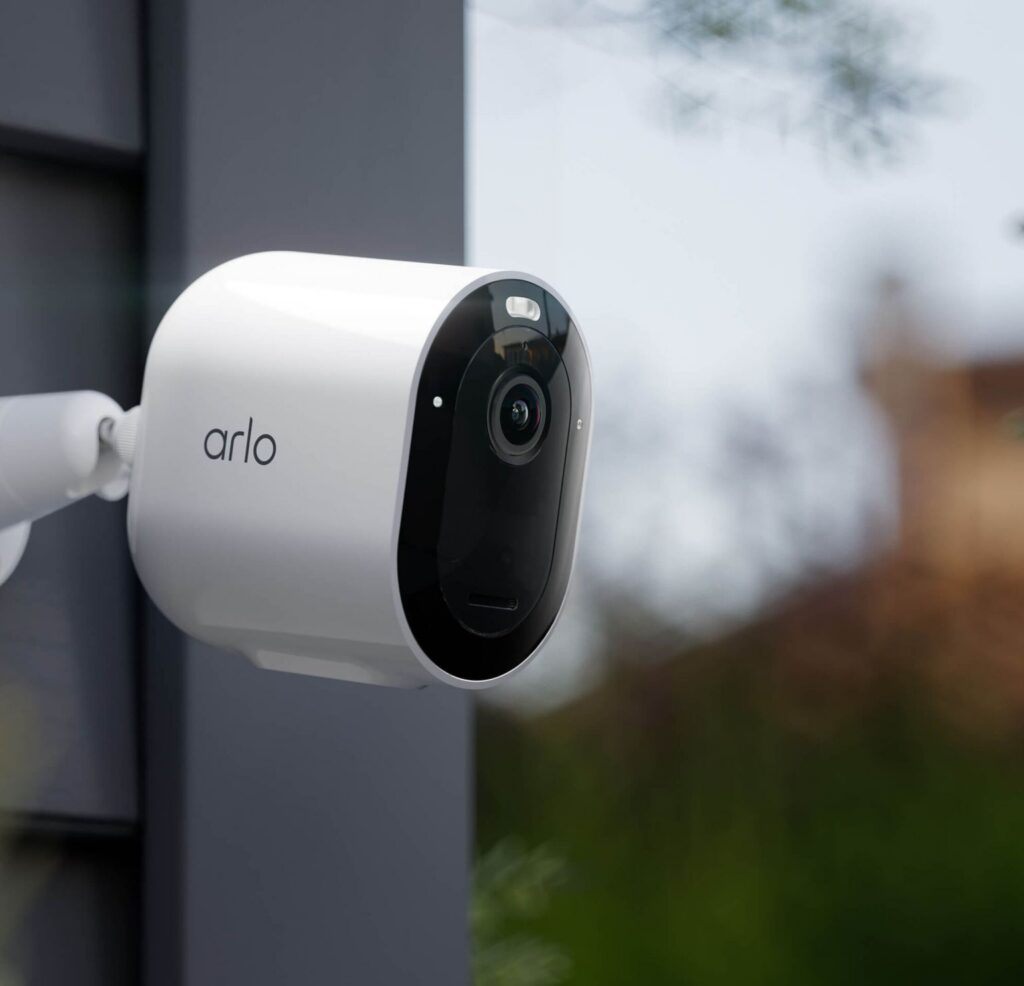
The Pro 5S is Arlo’s latest flagship wireless cam. It bumps the resolution up to 2K HDR (2560 x 1440), adds dual-band Wi-Fi with a fallback connection feature Arlo calls SecureLink, and pairs all of that with a built-in 650-lumen color spotlight. That spotlight is the real upgrade here. Previous Arlo models leaned on infrared night vision, which gives you that grainy black-and-white footage that’s basically useless for identifying a face or reading a plate number. The Pro 5S fixes that problem directly.
It also ships with no hub required, IP65 weatherproofing, and AI detection that can separate people, vehicles, and animals. Alexa, Google Assistant, and SmartThings support are all onboard. If you want local storage, you can add the SmartHub separately, but most people won’t bother.
DigiDIY Pick
Arlo Pro 5S 2K Spotlight Camera
The best wire-free outdoor cam Arlo has made yet. Strong pick for front doors, driveways, and anywhere you need solid night identification without running power cable.
First Impressions and What’s in the Box
The box includes the camera unit, a rechargeable battery, a magnetic mount, a USB-C charging cable, mounting screws, and a quick start guide. Nothing surprising, but the USB-C inclusion is a small win over older micro-USB Arlo models. The build quality is noticeably solid. Matte finish, no flex, no creaky plastic. It feels like something that’ll survive a Minnesota winter on your soffit without falling apart.
Who Should Actually Buy This?
Short answer: homeowners and renters who want professional-quality footage without a professional installation bill.
More specifically, this camera makes the most sense for a few types of buyers. Renters who can’t hardwire anything will love the magnetic mount and full wireless setup. Frequent travelers who want to check in on the house remotely get solid mobile app control. Families monitoring front door deliveries, a driveway, or a backyard gate will use the AI detection constantly. And if you’re upgrading from a first or second-gen Arlo, the jump in video quality alone is worth it.
I’d say it’s less ideal if you’re building a whole-home camera system on a tight budget. The Pro 5S isn’t the cheapest option in this category, and if you need four or five cameras, the cost stacks up fast.
Video and Audio Quality: 2K HDR in Real Life
In my testing, daytime footage is excellent. Crisp, well-exposed, and detailed enough that I can read the text on a delivery truck parked at the curb. Faces are identifiable from across a typical front yard, and the HDR handling is noticeably better than cameras in the $80 to $100 range when you’re dealing with mixed light, like a bright sky behind a person standing in shade.
Two-way audio works well. I’ve used it to tell a delivery driver where to leave a package, and the conversation was clear on both ends. The microphone does a reasonable job cutting wind noise, which matters if you’re mounting this anywhere exposed.
Night Vision and the Spotlight
This is where the Pro 5S earns its price tag. The 650-lumen spotlight kicks on automatically when motion is detected, and it lights up your coverage zone in full color. In my testing, I could read a license plate at 25 feet and clearly identify a person standing at my front door in complete darkness. That’s not something you can do with standard IR night vision.
The difference between black-and-white infrared footage and full-color spotlight footage is hard to overstate when you’re actually trying to identify someone. Color of clothing, hair, face, car color, all of it visible. For anything security-related, that’s the detail that matters when something goes wrong.
Setup and Installation
No hub required means you download the Arlo app, create an account, plug in the charged battery, and follow the steps. In my experience, the whole process from opening the box to getting a live view took about twelve minutes. Dual-band Wi-Fi (2.4GHz and 5GHz) gives you flexibility depending on your router placement, and the SecureLink fallback feature is a nice safety net if your main Wi-Fi drops.
The magnetic mount is genuinely convenient. You can reposition the camera without tools, and the angle adjusts easily once it’s up. For renters especially, this setup is hard to beat.
Battery Life
Arlo claims up to 8 months per charge. Realistic expectation? Closer to 4 to 6 months for a high-traffic area like a front door, depending on how many motion events you’re logging per day. A quieter side-yard camera could hit that 8-month number. Either way, you’re not climbing a ladder every few weeks. That’s the practical win here.
Smart Features, App, and Privacy
The Arlo app is clean and reliable. Motion alerts arrive fast, the AI sorting between people, vehicles, and animals actually works well enough to cut down on nuisance notifications from blowing leaves or passing cars. You can set activity zones to focus on your driveway and ignore the street, which is a feature I use constantly.
On privacy: footage is encrypted in transit and at rest on Arlo’s cloud. Two-factor authentication is available and I’d recommend turning it on immediately. If you want footage stored locally instead of on cloud servers, the optional SmartHub handles that, but it’s an additional cost.
Arlo Pro 5S vs. Ring Spotlight Cam vs. Google Nest Cam
Honestly, I’d skip the Ring Spotlight Cam battery version if color night vision matters to you. Ring’s infrared night vision is functional but not in the same league as what the 650-lumen spotlight on the Pro 5S delivers. The Google Nest Cam is a solid competitor with strong AI features, but it ties you harder into the Google ecosystem and the subscription cost for full history can add up.
The Arlo Pro 5S sits in a strong middle position. It works without a subscription for basic features, it’s ecosystem-flexible (Alexa and Google both), and the video quality at night is the best of the three for pure identification purposes.
Pros and Cons
Pros
- Full-color night vision via 650-lumen spotlight
- 2K HDR is sharp and detailed in all lighting
- Easy magnetic mount, truly wire-free
- Works with Alexa, Google Assistant, SmartThings
- No hub required out of the box
- AI detection actually filters alerts usefully
- IP65 weatherproofing holds up in real conditions
Cons
- Price is higher than most budget competitors
- Full feature set requires an Arlo Secure subscription
- Battery life in high-traffic areas won’t hit the 8-month claim
- Local storage costs extra (SmartHub sold separately)
Best Mounting Spots and Quick Tips
Mount at 7 to 9 feet for the best downward angle on faces and vehicles. Corner placement covering two zones at once maximizes a single camera’s value. Avoid mounting directly under an overhang that blocks the spotlight spread. And set your activity zones in the app before you start relying on notifications, the default zone is wide and you’ll get more alerts than you need until you narrow it down.
Is It Worth the Money?
For a front door or driveway camera where night identification actually matters, yes. The 2K HDR plus color spotlight combination is genuinely better than anything Arlo has shipped before, and it competes well against Ring and Nest at this price point. If you’re covering a low-traffic area and night vision is less critical, there are cheaper options worth considering. But if you want the best wireless outdoor camera Arlo makes right now, this is it.
DigiDIY Verdict
BUY if night identification matters / SKIP if you’re covering a low-traffic zone on a tight budget
The Arlo Pro 5S is the best wire-free outdoor camera Arlo has built, and the 650-lumen color spotlight alone is worth the upgrade from any previous-gen model or budget IR camera.