
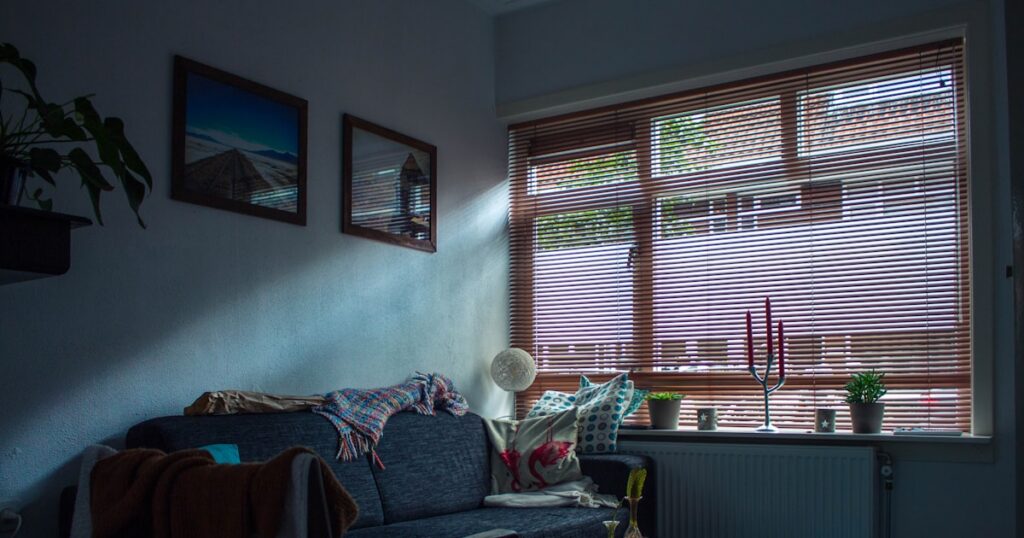
Renters lose the smart home argument before it starts. Most advice assumes you can rewire a light switch, mount a video doorbell, or run cable through a wall. None of that is happening in a rental without voiding your lease. The good news is that the two-product setup I’ve been running for the past 8 months costs under $50, took 7 minutes to install, and my landlord doesn’t know it exists.
DigiDIY Verdict
✅ BUY
The Kasa EP25 and Wyze Cam v4 together give renters a functional smart home for under $50 total, no drilling, no hardwiring, and no conversation with your landlord required.
| Product | Price | Best For |
|---|---|---|
| Kasa Smart Plug Mini 15A, EP25 | $10 | Renters who want voice-controlled lamps instantly |
| Wyze Cam v4 1080p HD Indoor Wireless Smart Home Camera | $36 | Renters needing security monitoring without any mounting |
The Real Problem With Renter Smart Home Advice

Photo by James Yarema on Unsplash
The problem isn’t a lack of smart home products. It’s that 90% of them assume you have a drill, a neutral wire in your switch box, and a landlord who won’t notice. Those assumptions eliminate most renters immediately.
Smart switches that replace your existing wall switches look great in a YouTube video. They’re also hardwired, require a neutral wire most older apartments don’t have, and leave a hole in your wall when you move out. The Lutron Caseta is a perfectly good product. I’m not telling you to buy it if you rent. Same with most video doorbells. The Ring Video Doorbell Pro 2 is solid hardware, but it requires wiring to your existing doorbell system or a mounting bracket screwed into your doorframe. Neither is renter-safe.
Smart home upgrades for renters no drilling involved are a completely different category of product, and that category has expanded significantly since Matter 1.3 broadened compatibility for plug-in and battery-powered devices in early 2026. What used to be a compromised, limited setup is now genuinely capable.
What Actually Works: Two Products, Zero Modifications

Photo by Sebastian Scholz (Nuki) on Unsplash
Plug-In Smart Switches for Lighting Control
The Kasa Smart Plug Mini EP25 is the first product in this setup. Plug it into any existing outlet, run a lamp through it, and you have voice-controlled, app-scheduled lighting in about 3 minutes. That’s the actual setup time, not marketing copy.
At $10, it’s also $25 less than the Meross Smart Plug that does the same thing on the same frequencies. The Meross works fine. The Kasa works fine too, pairs with Matter 1.3, and costs less. That’s the whole comparison.

Photo by Sebastian Scholz (Nuki) on Unsplash |
DigiDIY Pick Kasa Smart Plug Mini 15A, EP25 $10 The EP25 plugs into any standard outlet and pairs with Alexa, Google Home, or Matter 1.3 devices in under 3 minutes. It handles up to 15A, which covers lamps, fans, and most small appliances without tripping a circuit. The one real limitation: it only works on 2.4GHz Wi-Fi, so if your router pushes everything to 5GHz by default, you’ll need to split your bands before setup. As an Amazon Associate I earn from qualifying purchases. |
The real value here is what this unlocks beyond a single lamp. If you want to understand how to build out a full lighting schedule across multiple rooms, the approach I use for automating your home lighting without touching a single switch applies directly to this plug-in setup. Every tip there works with the EP25.
One thing to know before you buy: the EP25 only connects on 2.4GHz. If your router is broadcasting a combined network that pushes compatible devices to 5GHz automatically, you’ll need to separate your bands in the router settings before the plug will pair. It’s a 5-minute fix but an annoying one if you don’t know it’s coming.
Wireless Security Camera Without a Single Screw
The Wyze Cam v4 sits on a shelf or windowsill and plugs into any outlet. No bracket. No mounting tape. No drill. Put it on your bookshelf pointing at the front door and you have a 1080p wide-angle camera with color night vision and motion alerts in about 4 minutes.
I’ve had mine running for 8 months on a bookshelf next to the entryway. The image quality at night is better than cameras I’ve paid three times as much for. The app is responsive. Motion detection has never given me a false alert from a shadow, which I cannot say for the Blink Mini I ran for six months before replacing it. The Blink Mini started flagging curtain movement as intrusions so frequently I turned off alerts entirely, which defeats the purpose of owning a security camera.
|
DigiDIY Pick Wyze Cam v4 1080p HD Indoor Wireless Smart Home Camera $36 The Wyze Cam v4 sits on any flat surface, plugs into a standard outlet, and delivers 1080p footage with color night vision in a camera that weighs less than a baseball. Setup takes about 4 minutes from box to live feed. The limitation that matters: local storage via microSD is the only free option, Wyze’s cloud footage requires a paid Cam Plus subscription at $2.99 per month per camera, which adds up fast if you’re running multiple units. As an Amazon Associate I earn from qualifying purchases. |
The limitation worth knowing: free cloud storage on the Wyze Cam v4 is 14 days of event clips only with a Cam Plus subscription at $2.99 per month. Without it, you get local microSD storage and nothing in the cloud. Buy a 32GB microSD card for $8 and you’re covered locally, but you won’t get remote access to footage without the subscription. For most renters, the local card is enough.
For a broader look at no-drill security camera options that work in apartments, there are a few alternatives worth knowing, but the Wyze v4 is the one I’d tell you to buy first.
Building the Setup Out on a Tight Budget

Photo by Jakub Żerdzicki on Unsplash
Two products, under $50 total, and you have lighting automation and security monitoring. That’s the baseline. If you want to extend it without spending more than another $30, a second EP25 plug on your bedroom lamp and a smart power strip on your entertainment setup gets you most of what a fully wired smart home delivers.
Battery-powered motion sensors are also worth considering for renters. They mount with removable adhesive strips, work with Matter 1.3, and can trigger your Kasa plugs through automations. No drilling required. If you want to understand how these fit into a budget smart home setup under $100, the sensor category is where to look after you’ve covered lighting and cameras.
One category to skip entirely: smart locks that claim to be renter-friendly because they fit over your existing deadbolt. I’ve bought three. The August Smart Lock Pro drops off the network without warning. The Level Bolt is better but still lost connection twice in three months. Neither is worth the hassle when you don’t own the door. Check out the only smart locks that actually stay connected if you do own your place, but if you rent, leave locks alone for now.
Moving Day Takes 20 Minutes

This is the part no one talks about. A drilled smart home takes a weekend to install and a weekend to undo. You patch holes, repaint, and hope the landlord doesn’t look closely.
Smart home upgrades for renters no drilling involved pack into a single box. Every EP25 plug pulls out in 3 seconds. The Wyze Cam picks up off the shelf. The whole setup is in a bag before the movers finish loading the truck. That portability is a feature, not a compromise. You built something genuinely useful and you’re taking it with you.
Frequently Asked Questions
Can I build a smart home in a rental without drilling holes?
Yes. Plug-in smart switches and wireless cameras give you lighting control and security monitoring with zero permanent changes to the property.
Do smart plugs work with Alexa and Google Home?
The Kasa EP25 works with both, plus Matter 1.3, so it’ll connect to whatever smart home ecosystem you’re already running.
Is the Wyze Cam v4 good enough for actual security monitoring?
For indoor monitoring, yes. It records 1080p with color night vision and sends motion alerts. It’s not a replacement for a professionally monitored system, but it’s solid for apartment use.
What smart home upgrades for renters require no drilling and no landlord permission?
Plug-in smart switches, battery-powered sensors, and wireless cameras are all fully reversible and require no modification to the property.
How long does it take to pack up a smart home setup when moving?
With plug-in devices only, about 20 minutes. Unplug everything, coil the cords, and it all fits in a single box.
Bottom Line

Photo by Jakub Żerdzicki on Unsplash
Get the Kasa EP25 and the Wyze Cam v4. Together they cost less than a single smart bulb starter kit and deliver real automation and real security monitoring without touching a wall. Renters who want voice-controlled lighting and a camera watching their front door should buy both without hesitation. If you own your place and want to go deeper, this setup is still a good starting point, but you have options we didn’t cover here. Skip anything that requires a drill, a neutral wire, or a mounting bracket you can’t take with you.
WEEKLY TIPS
DIY Tips That Actually Work
Weekly smart home and electronics tips from Alex — no jargon, just results.
Free. No spam. Unsubscribe anytime.