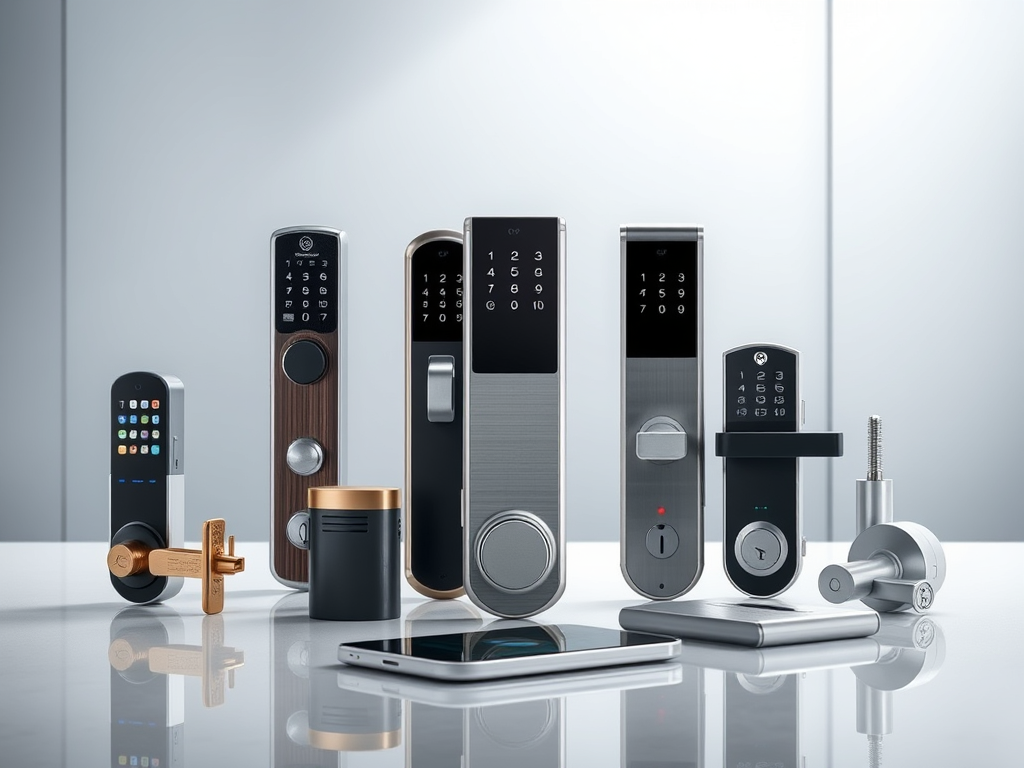
Smart locks have quietly become one of the best upgrades you can make to a front door in 2025. Not because they’re flashy, but because they actually solve real problems: fumbling for keys with grocery bags in both hands, handing a spare key to a contractor you’ll never see again, or lying in bed wondering if you locked up. Modern smart locks now match traditional deadbolts on security ratings, and the better ones beat them on convenience by a mile. I’ve spent time testing and comparing the top-selling options on Amazon, and this roundup covers everything from a solid sub-$100 fingerprint lock to a nearly invisible premium deadbolt. Whether you’re a renter who can’t drill into anything, a homeowner building out an Alexa setup, or just someone who wants keyless entry without paying $300, there’s a pick here for you.
Quick Comparison: Best Smart Locks of 2025
Before we get into the details, here’s a side-by-side look at the five locks I’m covering. Prices are based on Amazon listings as of Q2 2025.
| Model | Price | Connectivity | Voice Assistants | Security Rating |
|---|---|---|---|---|
| Wyze Lock Bolt | ~$70–$80 | Bluetooth only | None | Not rated |
| Yale Assure Lock 2 | ~$160+ | Bluetooth + optional Wi-Fi/Z-Wave | Alexa, Google, Apple, SmartThings | ANSI Grade 2 |
| August Wi-Fi Smart Lock | ~$180–$230 | Wi-Fi + Bluetooth | Alexa, Google, Apple HomeKit | Not rated |
| Schlage Encode | ~$200–$250 | Built-in Wi-Fi | Alexa, Google, Apple HomeKit (Plus) | ANSI Grade 1 |
| Level Lock Touch Edition | ~$300–$329 | Bluetooth + NFC | Apple HomeKit native, Alexa via app | Not rated |
Best Budget Smart Lock: Under $100
You don’t need to spend $200+ to get keyless entry. Budget locks in this range cut corners on connectivity, not on the physical hardware. That’s the right tradeoff for most people who just want to stop carrying keys.
Wyze Lock Bolt
DigiDIY Pick
Wyze Lock Bolt
Best for renters, apartment dwellers, or anyone who wants keyless entry without paying for features they’ll never use. No hub, no subscription, no nonsense.
Short answer: this is the best cheap smart lock you can buy right now. At $70 to $80, the Wyze Lock Bolt punches well above its price. It has a fast fingerprint reader, a backlit PIN keypad, and Bluetooth-based control through the Wyze app. In my testing, the fingerprint scanner recognized my print in under a second, even with slightly damp fingers.
There’s no Wi-Fi, which means no remote access. If you need to let someone into your house while you’re at work, this lock can’t do that. Wyze made that call intentionally to keep battery drain low. The result is a claimed one-year battery life on four AAs, and that tracks with real-world reports from users. Auto-lock is configurable, so the door locks itself after a set delay even if you walk off and forget.
No Alexa, no Google, no Apple HomeKit. If smart home integration matters to you, move up the list. But if you just want to stop losing your keys and spend under $80 doing it, I’d go straight to this one without hesitation.
Best Mid-Range Smart Locks: $150 to $230
This is the sweet spot for most homeowners. You get real remote access, voice assistant support, and ANSI security ratings, without crossing into premium pricing territory. Two locks stand out here.
Yale Assure Lock 2
DigiDIY Pick
Yale Assure Lock 2
Best for homeowners who want flexibility. Starts at $160 and scales up with optional Wi-Fi or Z-Wave modules so you only pay for what you actually need.
The Yale Assure Lock 2 is the lock I’d recommend to most US homeowners building their first smart home setup. It covers the broadest range of ecosystems out there: Alexa, Google Assistant, Apple HomeKit, and SmartThings, all on one device once you add the appropriate module. That kind of compatibility matters if you’re not ready to commit to one platform.
Out of the box it’s Bluetooth-only, which keeps the base price at $160. Add the Wi-Fi module and you get full remote access, lock and unlock from anywhere, and real-time status in the app. The Z-Wave module is the better call if you’re already running a SmartThings or Hubitat hub. ANSI Grade 2 rated, slim profile, and an auto-unlock feature that detects when you’re approaching. In my testing, the touchscreen keypad felt solid and the auto-unlock worked reliably within about 15 feet.
The modular approach does mean you’re making purchasing decisions up