Here’s the thing nobody tells you when you start researching smart home gear: you probably don’t need a hub. Not in 2025. The whole “you need a central brain for your smart home” advice is outdated, and following it will cost you extra money and extra headaches before you’ve even turned on your first smart bulb. Skip the hub. Start with what actually matters.
What a Hub Actually Does (And Why You Can Ignore It)
A hub acts as a translator between devices that speak different wireless protocols. Zigbee, Z-Wave, older Insteon gear, all of that needed a middleman to talk to your phone. That was the reality five years ago. Today, most consumer smart home products connect directly over Wi-Fi or Bluetooth, and your smartphone handles the rest. The middleman got fired.
Voice assistants accelerated this. Amazon Alexa and Google Assistant now handle cross-brand integrations that used to require dedicated hardware. You can tell Alexa to turn off your TP-Link plugs, dim your Philips bulbs, and check your Ring doorbell, all without a single hub sitting on your router shelf collecting dust.
Short answer: if you’re buying modern Wi-Fi-based devices, a hub is optional at best and unnecessary clutter at worst.
What You Actually Need to Get Started
I’d skip the big “whole home overhaul” mentality and start with three device categories. These solve real, everyday problems and give you a feel for how the ecosystem works before you go deeper.
1. Smart Plugs
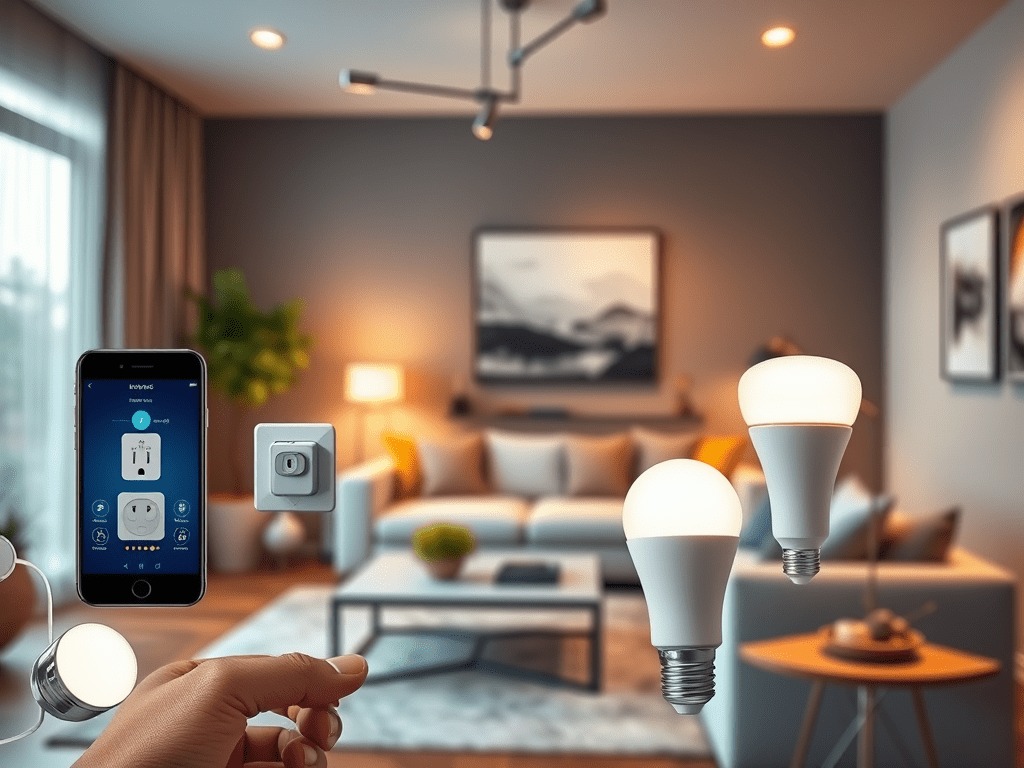
This is where I tell everyone to start. A smart plug takes any dumb lamp, coffee maker, box fan, or space heater and makes it schedulable, voice-controllable, and remotely switchable from your phone. No electrician. No rewiring. Just plug it in.
The TP-Link Kasa Smart Plug is my go-to recommendation for most people. It connects directly to your 2.4GHz Wi-Fi, works with both Alexa and Google Assistant, and the Kasa app is genuinely good. In my testing, setup took under four minutes. It also has energy monitoring on some models, which is a nice bonus if you want to see how much that old space heater is actually costing you.
Practical use case: set your coffee maker to turn on at 6:45am every weekday. Done. No fancy coffee machine required.
2. Smart Bulbs
Smart bulbs get a bad rap because early ones were unreliable and expensive. The category has matured. The Philips Hue White Ambiance bulbs are the ones I keep coming back to. They’re not the cheapest option, but they’re stable, they work with every major platform, and the color temperature range (from warm candlelight to cool daylight) is genuinely useful for people who work from home and want to shift the lighting mood through the day.
Worth noting: Philips Hue does sell a hub called the Hue Bridge, but you don’t need it for basic use. Individual bulbs connect via Bluetooth to your phone directly. The Bridge unlocks extras like remote access when you’re away from home, but for a starter setup, Bluetooth is fine.
If budget is tight, Wyze Bulbs are a solid alternative at a fraction of the price. Less polished app, but they work.
3. Video Doorbell
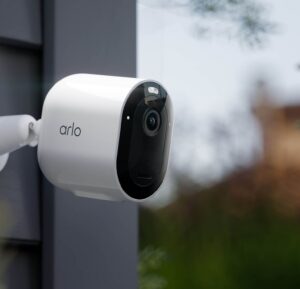
This one solves an obvious problem: you want to see who’s at your door without getting off the couch, or you want to check in on a package delivery from work. The Ring Video Doorbell is the most installed video doorbell in the US for a reason. Setup is straightforward, the app works reliably, and Alexa integration means you can see the live feed on an Echo Show if you have one.
Ring does push you toward a subscription plan for video history, which currently runs $4.99/month per device. It’s not required, but you lose recorded clip storage without it. Factor that into your decision.
The Apps That Actually Run Your Setup
One of the common fears about going hub-free is ending up with six different apps for six different devices. That’s a real problem if you buy randomly. Here’s how to avoid it.
Pick one voice assistant ecosystem as your home base and stick with it. Most devices these days support both Alexa and Google Home, so you’re not locked in by product choice, you’re locked in by preference. I use Amazon Alexa because the routine-building is more flexible and the Echo hardware ecosystem is broader. If you’re deep in Google’s world, Google Home works just as well.
Smart Life / Tuya is worth knowing about because a huge number of budget smart plugs, switches, and sensors run on this platform under different brand names. If you buy a no-name smart plug off Amazon and it asks you to download “Smart Life,” that’s Tuya under the hood. It works, it connects to Alexa and Google, and it’s fine for basic stuff.
My practical advice: TP-Link Kasa devices use their own app but integrate well with Alexa. Philips Hue has its own app but also integrates. Ring has its own app but also integrates. You end up using your voice assistant app as the daily driver and the brand apps for initial setup and advanced settings. Two or three apps total. Manageable.
The Mistakes That Will Ruin Your Setup
Buying a device that only works with one platform
Some cheaper devices only work with Google Home, or only with Alexa. Check before you buy. Look for “Works with Alexa” and “Works with Google Home” logos on the product listing. This matters because your needs will change.
Ignoring your Wi-Fi coverage
This is the silent killer of smart home setups. If your Wi-Fi is weak in the garage or the back bedroom, a smart device out there will drop off constantly. Before you buy more devices, fix your network. A mesh system like the Eero 6 or TP-Link Deco is worth every penny for a house over 1,500 square feet. See our Wi-Fi setup recommendations for specifics.
Trying to do everything at once
Start with one plug. Get comfortable with the app. Add a bulb. Add the doorbell. Let the system grow naturally. People who buy 20 devices in a weekend usually end up frustrated with a half-configured mess. Slow is fast here.
Your Starting Lineup for 2025
If I were setting up a hub-free smart home from scratch today, this is what I’d buy first:
- TP-Link Kasa Smart Plug, start with two, put one on a lamp and one on a coffee maker
- Philips Hue White Ambiance bulbs, replace two or three bulbs you use most
- Ring Video Doorbell, install it, connect it to Alexa, done
- Amazon Echo Dot or Google Nest Mini, pick your assistant and get a voice control point in the main room
Total investment is roughly $150 to $200 depending on sales. That’s a real, functional smart home with no hub required. Build from there at whatever pace makes sense for your budget. Check our full beginner’s gear list for expanded options at every price point.