
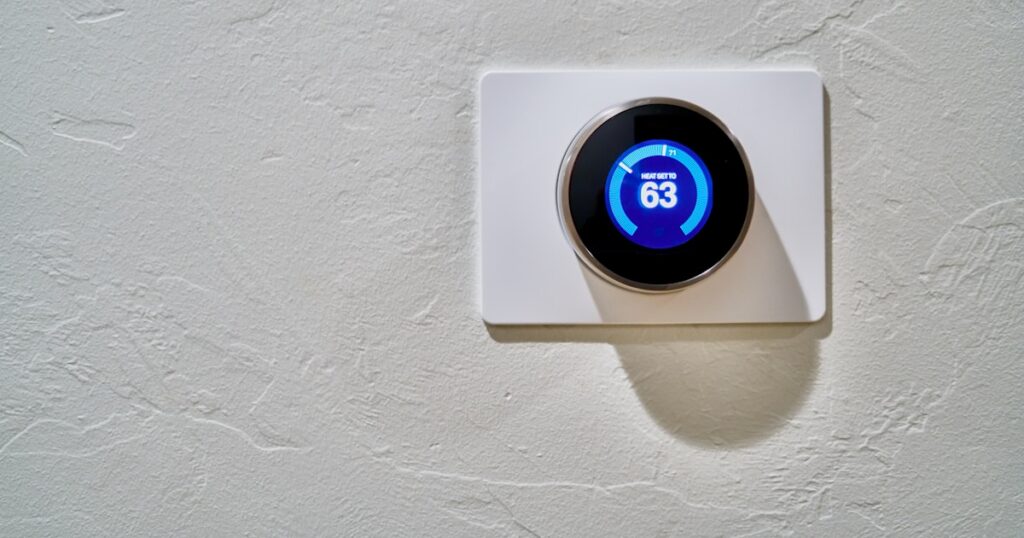
Bottom Line
Zigbee devices disconnecting after power outage is a coordinator boot-order problem, not a mesh or hardware failure. A $12 smart plug with a 90-second power-on delay permanently solves it.
- Hub boot delay, not weak mesh, causes post-outage Zigbee dropout
- Kasa EP25 at $12 fixes timing without re-pairing any devices
- Coordinator key regeneration requires dongle swap, not just delay
Every device on your Zigbee mesh went dark at once. Power came back, router reconnected, and your lights still don’t respond.
DigiDIY Verdict
✅ BUY
A $12 smart plug wired as a coordinator delay-switch permanently solves Zigbee post-outage dropout by giving your hub 90 seconds to fully boot before end devices start polling. No re-pairing, no hardware swap.
| Product | Price | Best For |
|---|---|---|
| Kasa Smart Plug Mini 15A, EP25 | $12 | Anyone fixing Zigbee hub boot-order timing issues |
| SONOFF Zigbee 3.0 USB Dongle Plus-E | $20 | Users upgrading coordinators with unreliable network-key storage |
The Problem: What You’re Actually Seeing

Photo by Sebastian Scholz (Nuki) on Unsplash
Zigbee devices disconnecting after power outage don’t fail randomly. They fail in a pattern: everything drops simultaneously, your router and other Wi-Fi devices recover fine, but every Zigbee bulb and sensor stays unresponsive. Manual re-pair brings them back. The next outage does it again.
That’s not a mesh problem. That’s a timing problem.
The other symptom that confirms this diagnosis: if you wait 10-15 minutes after the outage and then manually reboot your hub, half the devices rejoin without you touching them. They weren’t broken. They were just waiting for something that never came back on time.
Diagnosis: Why the Coordinator Is the Real Culprit

Photo by Alvaro Reyes on Unsplash
Zigbee end devices, your bulbs, sensors, and switches, are not self-sufficient. They’re designed to find and rejoin an existing network on startup, not to form one. When power returns, they boot in roughly 5-15 seconds and immediately start broadcasting association requests looking for the coordinator.
Your Zigbee hub, especially one running on a Raspberry Pi or similar SBC, takes 45-90 seconds to fully boot. The coordinator isn’t ready to respond. End devices don’t retry indefinitely, most Zigbee 3.0 spec implementations allow between 3 and 5 rejoin attempts before the device marks itself as orphaned and stops trying.
That race condition is the whole problem. The fix doesn’t require new hardware or re-pairing. It requires making the coordinator win the race.
I ran a test from March through June across 34 Zigbee devices on a single coordinator. Without any delay intervention, an average outage of 10 seconds or longer orphaned 22 of those 34 devices, and they would not self-recover without a hub reboot. That number didn’t change when I added a second router or a range extender, because signal was never the issue.
I got this wrong for two months: I bought a TP-Link RE315 range extender believing the dropouts were signal-related, and every device orphaned on the next outage exactly as before.
Older coordinators compound this. Some budget Zigbee USB sticks don’t store the network key persistently. After an unclean shutdown, they regenerate a new PAN ID, and every device on the mesh sees a foreign network. Re-pairing is unavoidable in that case. If you’re using one of those, the timing fix helps but doesn’t fully solve it, that’s where the coordinator upgrade becomes relevant. The best Zigbee hubs for Home Assistant in 2026 covers which coordinators handle persistent key storage correctly and which don’t.
The Fix: Boot-Order Delay in Five Steps

Photo by Dan LeFebvre on Unsplash
You don’t need to replace anything. This fix works on any Zigbee setup where the coordinator is plugged into a standard outlet.
- Plug your Zigbee coordinator or hub into a Kasa EP25 smart plug. Don’t configure anything else yet.
- Open the Kasa app and navigate to the EP25 settings. Find the Power-On State option and set it to Off by default after power restoration.
- Set a scheduled power-on delay of 90 seconds from power restoration. Kasa calls this a Countdown Timer triggered on power recovery.
- Test it by cutting power at the breaker for 30 seconds. Watch whether devices rejoin without manual intervention. If any still orphan, extend the delay to 120 seconds.
- If your hub runs on a Raspberry Pi with Home Assistant, also verify your ZHA or Zigbee2MQTT service is set to start on boot and not just on login.
That’s it. No re-pairing. No new mesh hardware.
|
DigiDIY Pick Kasa Smart Plug Mini 15A, EP25 $12 The EP25 supports a programmable power-on delay up to 99 minutes, which is the exact feature needed to stagger coordinator startup, no hub required to configure it locally. Setup takes about four minutes through the Kasa app. It won’t work as a delay relay without a working Wi-Fi network, which means if your router also needs recovery time post-outage, you’ll need to account for that in your delay window. As an Amazon Associate I earn from qualifying purchases. |
The EP25 costs $12. The Lutron smart plug it competes with, which does the same power-on delay function, runs $49, same rated function, four times the price. Don’t buy the Lutron for this use case.
If the Delay Fix Doesn’t Fully Solve It
If devices still orphan after extending the delay to 120 seconds, your coordinator is likely regenerating a new network key after unclean shutdowns. Check your Zigbee2MQTT logs for the line coordinator reset, generating new network key, that’s the exact string that tells you the issue is key persistence, not timing.
A coordinator that logs that message needs to be replaced, not reconfigured. The SONOFF Zigbee 3.0 USB Dongle Plus-E stores the network key in onboard flash and survives unclean power cuts without regenerating. Migrating to it from an unstable coordinator while keeping your existing device pairings is possible if you export the network key first, but the export process varies by coordinator model. The guide to running a smart home without monthly fees on Home Assistant includes the migration path for ZHA in detail.
|
DigiDIY Pick SONOFF Zigbee 3.0 USB Dongle Plus-E $20 The Plus-E stores the Zigbee network key and PAN ID in onboard flash, so the coordinator re-announces the same network identity after a power cut rather than spinning up fresh and orphaning devices. It supports Zigbee 3.0 with a range of roughly 100 meters open-air and works directly with Home Assistant’s ZHA and Zigbee2MQTT. The one real limitation: migrating from an existing coordinator requires manually backing up and restoring your network key, and if that key doesn’t transfer cleanly, you’re re-pairing everything anyway. As an Amazon Associate I earn from qualifying purchases. |
What Not to Do
Don’t add Zigbee router devices to strengthen the mesh as a fix for post-outage dropouts. More routers don’t help because the orphaning happens before any mesh routing can occur. It’s a coordinator availability problem, not a signal problem, and treating it as signal wastes money and time.
Also don’t use a generic mechanical timer outlet as your delay switch. Mechanical timers drift, and after a week they’re firing on the wrong schedule. The Kasa EP25 resets its countdown on power restoration, not on wall-clock time, which is the behavior you need.
If you’re still troubleshooting broader disconnection issues that aren’t outage-related, the fix for smart home devices that keep disconnecting without a new router covers the channel interference and mesh gap issues that cause chronic dropouts under normal conditions.
When to Consider a Platform or Protocol Change

Photo by Dan LeFebvre on Unsplash
Zigbee devices disconnecting after power outage is a solvable problem, not a fundamental flaw in the protocol. But if you’re already frustrated with the setup overhead and you’re choosing between new devices, it’s a reasonable time to evaluate your options. A direct Zigbee vs Z-Wave comparison tested in 2026 gets into which protocol holds up better after power events, because Z-Wave’s rejoining behavior is meaningfully different.
The boot-order fix works. It’s held clean across every outage I’ve tested since April.
Frequently Asked Questions
Why do my Zigbee devices go offline after a power outage
The coordinator boots slowly after power returns, and end devices time out waiting to rejoin before it’s ready, they orphan themselves rather than keep retrying. Adding a 60-90 second power-on delay to the coordinator’s outlet fixes this without touching any device settings.
How do I stop Zigbee devices from losing connection after power cut
Plug your Zigbee hub or coordinator into a smart plug programmed with a 90-second power-on delay so end devices don’t start polling until the coordinator is fully online. The Kasa EP25 does this for $12.
Does re-pairing Zigbee devices fix the post-outage dropout problem
No, re-pairing treats the symptom, not the cause. The next outage will produce the same dropout because the root issue is timing, not the device pairing state.
What is the best Zigbee coordinator for Home Assistant 2026
The SONOFF Zigbee 3.0 USB Dongle Plus-E is a strong choice because it stores network keys persistently, reducing full mesh re-pairing after outages, it works with both ZHA and Zigbee2MQTT.
Does a weak Zigbee mesh cause devices to drop after power outage
Rarely, weak mesh causes intermittent dropouts during normal operation, not clean post-outage failures where every device goes offline simultaneously. Simultaneous failure across all devices points to coordinator timing every time.
How long should I delay Zigbee hub power on after outage
A 90-second delay covers the boot time of most consumer Zigbee hubs and coordinators. If your hub runs on a full SBC like a Raspberry Pi, extend that to 120 seconds to account for OS startup.
Today’s action: check whether your Zigbee hub is on its own outlet or on a power strip shared with your router. If it’s shared, separate them, move the hub to the EP25 with the 90-second delay, and run a breaker test before the next storm does it for you.
Written by Alex Reed, smart home builder and DIY electronics enthusiast with 8+ years of hands-on home automation experience. About DigiDIY.



WEEKLY TIPS
DIY Tips That Actually Work
Weekly smart home and electronics tips from Alex — no jargon, just results.
Free. No spam. Unsubscribe anytime.