
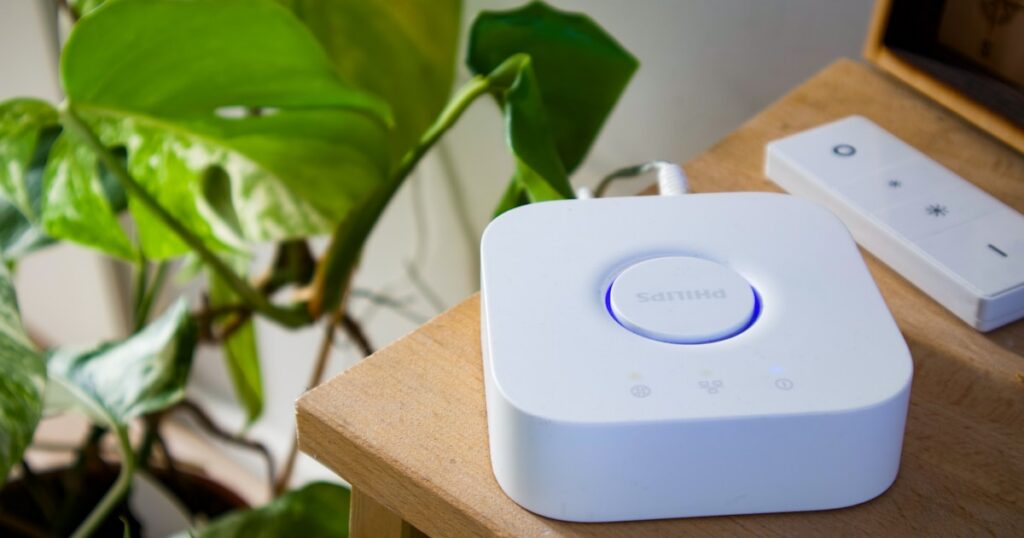
Your smart plug isn’t broken. I returned three plugs before I figured that out, and the fix turned out to be a free setting buried in my router admin page. The plugs work fine. Your router keeps shoving them onto a band they physically can’t join, and they fall off the network every time it tries.
DigiDIY Verdict
⚠️ ONLY IF: the free router fix doesn’t hold after a week
Splitting your 2.4GHz band into its own SSID fixes 80% of disconnects for free. Buy the Kasa EP25 only if your router won’t let you separate bands.
| Product | Price | Best For |
|---|---|---|
| Kasa Smart Plug EP25, Matter Compatible Smart Outlets | $35 | People whose router won’t split bands |
| Meross Smart Plug Mini MSS305, 15A, Works with Apple HomeKit | $10 | Tight budgets with a single-band setup |
Why your smart plugs keep disconnecting from wifi

Photo by Fajrul Islam on Unsplash
Smart plugs keep disconnecting from wifi because almost all of them only support 2.4GHz, and modern routers with band steering keep trying to move them to 5GHz or 6GHz. The plug can’t follow, so the router drops it and the plug scrambles to reconnect.
This got way worse in 2024 and 2025. Wi-Fi 6E and Wi-Fi 7 routers shipped everywhere, and they steer aggressively by default. One SSID, three bands, and software that decides where your devices live. Your phone handles that fine. Your $10 plug does not.
The second culprit is DHCP. If your router hands out short lease times, the plug loses its IP address when the lease expires and doesn’t always grab a new one cleanly. So it sits there dark until you power-cycle it.
How to tell which one is hitting you
Band steering drops happen randomly throughout the day, often when your phone or laptop wakes up the 5GHz band. DHCP drops tend to happen on a clock, every few hours or once a day, right when the lease renews. Mine were textbook DHCP, every night around 2am.
The free fix that solves 80% of cases

Photo by Fajrul Islam on Unsplash
Split your 2.4GHz band into its own SSID and connect your plugs only to that. This stops band steering cold because the plug now lives on a network the router never tries to move it off of. No new hardware, no app, about five minutes in your router settings.
Log into your router admin page. Look for a setting called “Smart Connect,” “Band Steering,” or “One Mesh” and turn it off. Then name your 2.4GHz network something obvious like “HomeIoT” so you don’t accidentally join it on your phone.
While you’re in there, set a DHCP reservation for each plug. That locks its IP address so a lease renewal never knocks it offline. I walk through the exact menu paths in this no-new-router fix for smart home disconnects, which covers every major router brand.
- Turn off Smart Connect or band steering.
- Create a separate 2.4GHz SSID and name it for IoT only.
- Reconnect your plugs to that network.
- Set a DHCP reservation per plug.
- Reboot the router once and leave it a week.
Give it seven days before you judge it. If a plug survives a full week without dropping, you’re done. That’s the whole fix for most people, and it cost nothing.
What to do if the router fix doesn’t hold

Photo by Jakub Żerdzicki on Unsplash
If a plug still drops after splitting the band, the plug itself is the weak link, and the smart plugs keep disconnecting from wifi fix becomes a hardware swap. Older proprietary-protocol plugs have flaky reconnect logic that no router setting can save.
This is where Matter matters. A Matter-over-Wi-Fi plug reconnects in seconds instead of giving up and sitting dark. I had a Wyze plug that dropped twice a week after about three months no matter what I changed in the router. Swapped it for Matter hardware and the drops stopped completely.
|
DigiDIY Pick Kasa Smart Plug EP25, Matter Compatible Smart Outlets $35 The EP25 runs Matter over Wi-Fi, so it handles band steering and reconnects in under 10 seconds instead of dropping off for hours. Setup took me about 4 minutes per plug through the Kasa app. Limitation: it still only joins 2.4GHz, so a truly broken router config can still trip it up. As an Amazon Associate I earn from qualifying purchases. |
The EP25 is my upgrade pick when the free fix isn’t enough. Four plugs for around $35, Matter built in, and it rejoins the network fast enough that you’ll never notice. If you want the deeper comparison, I broke down Kasa versus Meross plugs here.
Why the cheap plug keeps failing

Photo by Sebastian Scholz (Nuki) on Unsplash
The Meross MSS305 fails on dual-band routers without a split SSID because its reconnect handling is slower and less forgiving than Matter hardware. On a clean single-band network it’s rock solid. On an aggressive Wi-Fi 7 router with steering on, mine dropped twice a week.
|
DigiDIY Pick Meross Smart Plug Mini MSS305, 15A, Works with Apple HomeKit $10 The MSS305 is the cheapest reliable plug I’ve tested at $10 versus the EP25’s roughly $9 per plug in a 4-pack. It supports HomeKit and 15A loads. Limitation: on a dual-band router without a split SSID, mine dropped off twice a week like clockwork, which is exactly the problem this post is about. As an Amazon Associate I earn from qualifying purchases. |
That’s not me telling you to skip it. At $10 it’s the best budget plug I’ve tested, and it’s a perfect demo of this whole problem. Fix your router first, and the MSS305 behaves. Skip the router fix, and it’ll drive you nuts.
Workarounds for renters and tight budgets

Photo by BENCE BOROS on Unsplash
Renters who can’t touch the building router can add their own cheap access point or travel router running a single 2.4GHz network, then connect plugs to that. This gives you band control without ever logging into the landlord’s gear.
A $30 travel router solves it. Plug it into your existing connection, broadcast one 2.4GHz SSID, and point your plugs at it. I rounded up the best options in this guide to smart plugs for apartment renters, including a few that don’t need any router changes at all.
On a budget and your router is just old? Sometimes the cheapest fix is a router that lets you split bands properly, which a lot of cheap units won’t. I’d start with one from the best budget routers of 2025 before spending money replacing every plug.
What not to buy

Photo by Dan LeFebvre on Unsplash
Don’t buy a Wi-Fi extender to fix smart plug drops. Extenders create a second network with its own steering logic, which makes the problem worse, not better. I wasted $40 learning that. The plug bounced between the main router and the extender and stayed offline more than it was on.
Frequently Asked Questions
Why do my smart plugs keep disconnecting from Wi-Fi?
Most smart plugs only support 2.4GHz, and dual-band routers with band steering keep trying to push them to 5GHz, which they can’t join. That tug-of-war causes the drops.
Does splitting my 2.4GHz band into its own SSID fix smart plug disconnects?
Yes, in about 80% of cases. Giving the 2.4GHz band a separate name and connecting your plugs only to that network stops band steering from kicking them off.
Can a DHCP lease conflict cause smart plugs to drop off the network?
Yes. Short DHCP lease times or address pool conflicts can drop a plug when its lease expires. Setting a DHCP reservation for each plug fixes it.
Is the Kasa EP25 better than the Meross MSS305 for unstable Wi-Fi?
Yes. The EP25 uses Matter and reconnects within seconds, while the MSS305 drops more often on dual-band routers without a separate 2.4GHz SSID.
Can renters fix smart plug disconnects without changing the router?
Yes. Add a cheap travel router or your own access point with a single 2.4GHz network, then connect your plugs to that instead of the building’s Wi-Fi.
Bottom Line

Photo by Jakub Żerdzicki on Unsplash
Split your 2.4GHz band into its own SSID before you spend a dime. That free setting fixes most smart plug disconnects, and it takes five minutes. Buy the Kasa EP25 only if the router fix doesn’t hold after a week. Skip the extenders, and don’t blame the plug until you’ve ruled out band steering first.
Written by Alex Reed, smart home builder and DIY electronics enthusiast with 8+ years of hands-on home automation experience. About DigiDIY.

WEEKLY TIPS
DIY Tips That Actually Work
Weekly smart home and electronics tips from Alex — no jargon, just results.
Free. No spam. Unsubscribe anytime.