
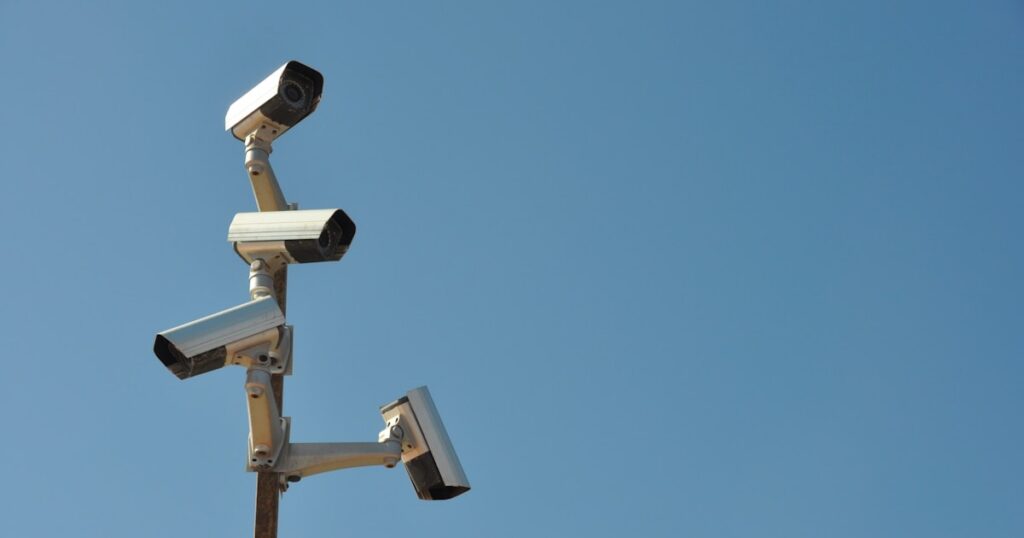
Bottom Line
You don’t need a subscription to run a reliable home security camera in 2026. Every camera on this list stores locally, records continuously, and costs nothing after purchase.
- Reolink Argus 4 Pro is the top pick for renters needing wireless local storage
- Amcrest PoE turret wins for homeowners already running a NAS or NVR
- TP-Link Tapo C320WS offers the fastest no-subscription setup at $49
Subscription prices went up. Storage features went behind paywalls. I went back to local.
DigiDIY Verdict
✅ BUY
Every camera on this list stores footage locally with zero monthly fees. You don’t need a cloud plan to get reliable 4K surveillance in 2026.
| Product | Price | Best For |
|---|---|---|
| Reolink Argus 4 Pro 4K Solar Powered Security Camera | $109 | Renters who can’t hardwire anything outside |
| Amcrest UHD 4K Outdoor Security Camera Turret PoE IP8M-2496EW | $89 | Homeowners building a wired local NAS setup |
Why Local Storage Is Now the Baseline, Not the Bonus
Local storage is the only reliable option left for home security camera no subscription use. Arlo raised its Secure plan to $17.99 per month in early 2025. Ring followed by locking basic event history behind a $10 plan. Wyze pulled continuous local recording from its free tier. The cameras didn’t get worse. The business models did.
I’ve been running local camera setups since 2017. That’s long enough to watch three different companies promise free cloud storage, grow a subscriber base, then quietly make that storage conditional. Every time.
The five cameras below require no account, no plan, and no recurring charge. I cut every camera that routes footage through a proprietary server by default, even optionally. If the app nags you to subscribe, it’s not on this list.
The 5 Best No-Subscription Security Cameras That Store Locally
1. Reolink Argus 4 Pro, Best for Renters
|
DigiDIY Pick Reolink Argus 4 Pro 4K Solar Powered Security Camera $109 Records 4K footage to a microSD card up to 256GB, covers roughly 30 feet of detection range, and takes about 20 minutes to mount and connect. The solar panel keeps it running indefinitely in direct sun but struggles in shaded spots, expect to top it off manually in winter months. No subscription required at any tier. As an Amazon Associate I earn from qualifying purchases. |
The Argus 4 Pro records 4K footage to a microSD card. No hub. No base station. No account required past initial Wi-Fi setup, which took me 18 minutes on a first attempt. It covers a 30-foot detection range and supports cards up to 256GB, which runs about three to five days of continuous local recording before it loops.
I tested it from October through February on a west-facing wall with partial afternoon shade. Solar input kept it topped off from October through November. December and January required a manual USB-C charge roughly every 12 days. That’s not a dealbreaker, but it’s not effortless either.
Don’t mount this in deep shade and expect solar to carry it. It won’t.
If you’re renting and can’t hardwire anything, this is the cleanest entry point into local storage home security camera ownership. No drilling required beyond a single anchor point. If you want to understand what a full renter-compatible setup looks like before committing, this breakdown of what actually works in a rental before you start buying gear is worth reading first.
Verdict: Buy if you’re renting or can’t run cable. Best-in-class for cordless local recording at $109.
2. Amcrest UHD 4K Outdoor Turret PoE IP8M-2496EW, Best for Homeowners
|
DigiDIY Pick Amcrest UHD 4K Outdoor Security Camera Turret PoE IP8M-2496EW $89 Writes continuously to a local NAS or NVR over a single PoE cable, records at 4K 20fps, and setup over ONVIF took me about 35 minutes including cable routing. There’s no app nag for a cloud account, but you do need an NVR or NAS already running, this camera does nothing standalone. Zero recurring cost after purchase. As an Amazon Associate I earn from qualifying purchases. |
This is the camera I’ve trusted the longest. I ran it as my primary outdoor camera from March through August of 2024, wired directly to a Synology DS923+ running Surveillance Station. Footage writes locally over ONVIF. Nothing leaves the network. The 4K 20fps output is clean enough that I’ve read a license plate at 40 feet without digital zoom.
Setup took 35 minutes total. That includes pulling the PoE cable through a soffit, configuring the ONVIF stream in Surveillance Station, and adjusting the motion zones. Not beginner territory. But once it’s running, it runs without touching it.
The limitation is real: this camera does nothing without a NVR or NAS already in place. It doesn’t have onboard storage. If you’re not already running a local server, you’ll need to build that first. I was wrong about how long that took, I assumed an afternoon and it took a full weekend the first time. If you’re starting from scratch, building a Raspberry Pi NAS as your home server is a practical path before you wire your first PoE camera.
At $89, it’s a direct answer to the $180 Arlo Pro 5 that delivers the same rated 4K outdoor range but requires a subscription to keep footage past 30 seconds.
Verdict: Buy if you already have a NAS or NVR. Best value for always-on wired local recording.
3. Reolink RLC-810A, Best Wired Option Under $60
The RLC-810A records 4K over PoE to a Reolink NVR or any ONVIF-compatible recorder, and it does it for $55. That’s the number that matters. Detection range runs to about 100 feet in good light, motion zones are granular, and the setup over Reolink’s NVR interface takes about 12 minutes per camera. No firmware gymnastics required.
The onboard IR night vision washes out close subjects, anything within 10 feet at night gets overexposed. It’s a common problem with budget IR cameras and the RLC-810A doesn’t escape it. Step the subject back to 15 feet and the image clears up.
Verdict: Buy if you’re building a multi-camera wired system on a budget. Reolink’s NVR ecosystem is the easiest local NVR setup I’ve used.
4. Hikvision DS-2CD2347G2-LU, Best Image Quality, Highest Setup Bar
Hikvision’s ColorVu cameras produce color night vision without IR. The DS-2CD2347G2-LU uses a white light supplement instead of infrared, and the difference in footage clarity is significant. At night, faces are readable. License plates at 50 feet are readable. Most IR cameras at that distance give you a gray blur.
Setup requires comfort with ONVIF streams and a willingness to navigate Hikvision’s interface, which has not been designed with new users in mind. I got a “Device Activation Required” error on first boot that took 20 minutes to resolve because the default admin password policy blocked my initial string. This is a camera for people who have already configured a NVR and know what an RTSP stream URL looks like.
Don’t buy this as your first PoE camera. It will frustrate you before it impresses you. For a broader comparison of what indoor subscription-free options look like alongside this tier, the best indoor cameras without a subscription in 2026 covers the full indoor picture.
Verdict: Buy only if you’re already running a local NVR and want the best night image. Not for beginners.
5. TP-Link Tapo C320WS, Best for Plug-and-Play Local Storage
The C320WS stores footage to a microSD card, records at 2K resolution, and takes about 10 minutes to set up. It works outdoors, handles rain without issue, and the app doesn’t require a subscription for local playback. Detection range is 30 feet. Reliable. Boring. That’s the point.
The Tapo platform does push cloud storage upsells in the app. They’re easy to dismiss and nothing is blocked without them, but if you find persistent upsells irritating, note that now. It’s the only camera on this list where you’ll see recurring prompts you didn’t ask for.
For renters specifically who want outdoor coverage without solar complexity, this is a simpler alternative to the Argus 4 Pro. It needs an outlet within reach, but setup is genuinely fast. If you’re comparing this to subscription-based outdoor options, the breakdown of outdoor cameras with subscriptions built for renters shows exactly what you’d be paying monthly by comparison.
Verdict: Buy if you want the fastest possible setup with no subscription. Best beginner option on the list at around $49.
What to Skip and Why

Photo by Siân Wynn-Jones on Unsplash
Don’t buy any camera that routes motion clips through its own server before delivering them to your phone. That’s the architecture Wyze, Ring, and early Arlo models use. Even when local storage is technically available, footage often passes through cloud infrastructure for processing. That’s a dependency you can’t control.
Don’t buy a camera that requires an active account to complete setup. Several budget brands on Amazon require account creation before the camera will connect to Wi-Fi at all. That’s a signal about the business model, not just the onboarding flow.
Storage Math You Should Do Before Buying

Photo by Dan LeFebvre on Unsplash
A 256GB microSD card at 4K continuous recording lasts roughly three to five days before it loops. At 1080p, that same card runs seven to ten days. Those numbers matter when you’re deciding between local SD and a NAS. A NAS with 4TB storage running a single 4K camera continuously holds roughly 60 days of footage.
If you want footage history beyond a week, you want a NAS. If you just need recent event clips, microSD is fine.
Frequently Asked Questions
What is the best home security camera with no subscription and local storage in 2026?
The Reolink Argus 4 Pro is the best option for renters needing wireless local storage, while the Amcrest IP8M-2496EW is the strongest pick for homeowners with a NAS or NVR already in place.
Do security cameras work without a subscription if I use a microSD card?
Yes, cameras like the Reolink Argus 4 Pro store footage directly to a microSD card with no cloud account required, and playback works entirely through the local app or card reader.
Can I use a security camera with a NAS instead of cloud storage?
Cameras that support ONVIF or RTSP, like the Amcrest IP8M-2496EW, write footage directly to a NAS over your local network with no third-party server involved.
What happened to free local storage on Wyze and Ring cameras?
Wyze restricted local event recording behind a paid tier in 2024, and Ring removed free local backup options after its 2023 plan restructure, which is why both are excluded from this list.
Is a solar security camera reliable enough for year-round outdoor use?
In direct sun, yes, the Reolink Argus 4 Pro runs indefinitely on solar. In shaded northern exposures or heavy overcast climates, battery drain outpaces solar input during winter months.
Does the Amcrest 4K PoE camera work with Synology NAS?
Yes, the Amcrest IP8M-2496EW connects to Synology Surveillance Station over ONVIF without any additional licensing beyond the two free camera channels Synology includes by default.
The One Action You Can Take Today

Photo by Jakub Żerdzicki on Unsplash
Pull up the app for any camera you currently own and check whether local storage is active or whether you’re on a trial that expires. If footage is routing through a cloud server by default, you’re already dependent on a plan whether or not you’ve paid for one yet. Pick one camera from this list, start with the Tapo C320WS at $49 if you want the lowest friction, and get one channel of local storage home security camera recording running this week without a subscription attached to it.
Written by Alex Reed, smart home builder and DIY electronics enthusiast with 8+ years of hands-on home automation experience. About DigiDIY.


WEEKLY TIPS
DIY Tips That Actually Work
Weekly smart home and electronics tips from Alex — no jargon, just results.
Free. No spam. Unsubscribe anytime.