
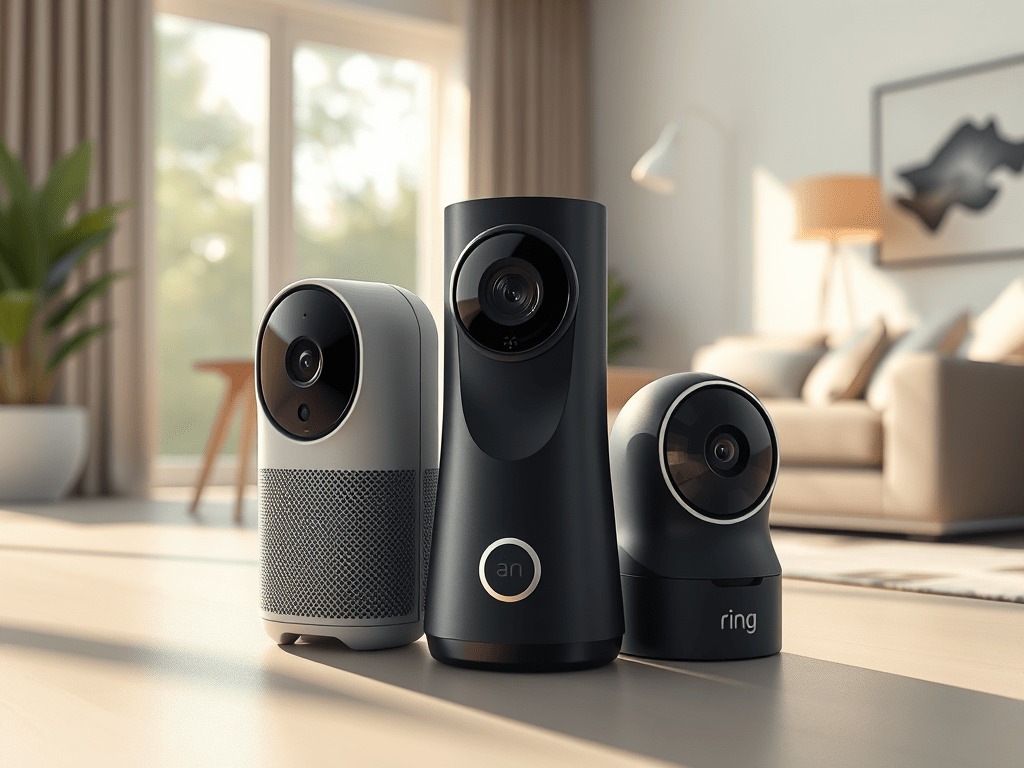
Traditional motion alerts are basically useless at this point. You get pinged because a squirrel ran across your porch, or a car drove past at 2am, and after a few weeks you just turn notifications off entirely. That’s the real security problem in most homes. In 2025, the better cameras don’t just detect motion. They interpret it. There’s a real difference between your kid coming home from school and a stranger standing at your door for four minutes, and AI-powered cameras now know which one deserves your attention.
I’ve been testing smart security hardware for a few years now, and the jump in AI capability from 2023 to 2025 is significant. Face recognition that actually works. Package detection. Behavior analysis that flags someone loitering rather than just walking by. These aren’t marketing bullet points anymore. They’re features that reduce alert fatigue and, honestly, make you more likely to actually use your system.
Here’s what I’ll cover: the best AI-powered cameras and sensors available right now, what separates the smart ones from the rest, and how to figure out which setup makes sense for your home.
What “AI Security” Actually Means in 2025
The term gets thrown around a lot, so let’s be specific. AI-powered home security uses on-device or cloud-based machine learning to do things a standard motion sensor cannot. It’s not just “something moved.” It’s “a person you don’t recognize has been standing near your front door for six minutes.”
The main capabilities you’ll see across 2025 devices include:
- Facial recognition: Distinguishes known family members from unknown visitors, useful for getting alerts only when a stranger shows up
- Object detection: Identifies people, vehicles, animals, and packages separately so you can filter alerts by type
- License plate scanning: Reads and logs plate numbers on driveway cameras
- Behavior analysis: Flags loitering, pacing, or erratic movement rather than just presence
- Audio detection: Recognizes specific sounds like breaking glass or a smoke alarm
The practical upside is simple. Fewer false alerts means you actually respond when something real happens. That’s the whole point.
The Best AI Security Cameras for 2025
1. Google Nest Cam (2nd Gen, Battery), ~$69.99
Short answer: the best value entry point if you’re already in the Google ecosystem.
The second-gen Nest Cam does 1080p HDR and separates alerts by person, animal, and vehicle without any subscription. Facial recognition kicks in if you add Nest Aware, which runs about $8/month. In my testing, the person detection was accurate enough that I stopped getting notifications every time a delivery truck rolled past. It integrates cleanly with Google Home and works with Alexa if you need it.
The battery life is decent for a wireless camera, roughly one to three months depending on activity. It handles both indoor and outdoor use, which keeps your setup simple if you want one camera type across the whole house.
Best for: Google Home households, first-time AI camera buyers, anyone who wants solid performance without spending $150+
2. Ring Spotlight Cam Pro (Battery), ~$159.99
Ring’s radar-powered 3D motion detection is genuinely useful for driveways and large outdoor areas. Instead of a flat motion zone, it maps depth, so it can tell whether someone is on your property or just walking along the sidewalk. That distinction matters a lot if you live on a busy street and hate nuisance alerts.
The Bird’s Eye View feature gives you a top-down path overlay of how someone moved through your yard. Color night vision is solid. Two-way talk works reliably. It connects to the Ring Neighbors Network, which some people find useful and others find a bit much. I’d say it’s optional.
One real-world use case where this earns its price: if you have a long driveway or a garage entrance you want to monitor without triggering alerts every time someone passes on the street, the radar mapping is worth it.
Best for: Driveways, entryways, anyone already using Ring devices
3. EufyCam 3C 4K Kit with HomeBase 3, ~$339.99
I’d skip the cheaper cloud-dependent options and go straight to Eufy if privacy is a concern for you. The EufyCam 3C runs facial recognition locally on the HomeBase 3, meaning your video footage and biometric data never leave your home. No monthly fees. Local storage included.
The 4K resolution is noticeably sharper than 1080p or even 2K when you’re trying to read a face or confirm what someone was carrying. The system is expandable, so you can start with two cameras and add more later without buying a new hub. It supports Apple HomeKit Secure Video, which is a big deal if you’re an Apple household and want end-to-end encrypted footage in iCloud.
The upfront cost is higher, but you’re not paying $10/month forever. Over two years, it’s often cheaper than subscription-based alternatives.
Best for: Privacy-focused users, Apple HomeKit homes, anyone who wants no recurring fees
4. TP-Link Tapo C325WB, ~$69.99
New for 2025, and honestly a surprise. The Tapo C325WB shoots 2K QHD with an ultra-wide lens, separates human, pet, and vehicle alerts, has a built-in siren and spotlight, and works with both Alexa and Google Home. For under $70, that’s a lot of capability.
It’s wired, which means you need a power source nearby but you never worry about charging it. In my testing, the AI alert accuracy was good enough for a budget pick. Not quite Arlo or Eufy level, but close enough that most homeowners won’t notice the gap.
If you need to cover a garage, a side entry, or a back yard on a budget, this is the one I’d recommend right now.
Best for: Budget-conscious buyers, wired outdoor installations, secondary camera positions
5. Arlo Pro 5S Spotlight Camera, ~$154.99
The Arlo Pro 5S is the most platform-flexible option on this list. It works with Alexa, Google Home, and Apple Home, which matters if your household has mixed devices or you’re not sure where your smart home setup is heading. The AI object detection through Arlo Secure identifies people, animals, vehicles, and packages individually.
2K HDR video looks great, color night vision performs well, and dual-band Wi-Fi means it maintains a stable connection even in areas where 2.4GHz is congested. The Arlo Secure subscription is required for full AI features, which starts at around $8/month per camera or $13/month for unlimited cameras.
Best for: Mixed smart home platforms, households using Apple Home, Alexa, and Google simultaneously
How to Pick the Right System for Your Home
Start with your smart home platform
If everything in your house runs through Google Home, the Nest Cam is the obvious starting point. Deep in the Apple ecosystem? Go Eufy or Arlo. Using Alexa as your hub? Ring integrates best, but Arlo and Nest both work fine too.
Decide where you stand on cloud vs. local storage
Cloud storage means your footage is accessible anywhere and usually backed up automatically. It also means a monthly fee and your data sitting on someone else’s server. Local storage means more privacy and no subscription, but your footage is gone if someone steals the hub. Eufy is the clear winner for local-first users.
Match resolution to your actual use case
1080p is fine for monitoring general activity close to the camera. If you’re covering a wide driveway and need to read faces or license plates at a distance, go 2K or 4K. Don’t pay for 4K on an indoor hallway camera where 1080p is plenty.
Think about alert fatigue before you buy
The best AI camera is one you actually respond to. If you’re in a busy area with lots of foot traffic, prioritize cameras with strong behavior detection and granular alert filtering, like the Ring Spotlight Cam Pro or Arlo Pro 5S. If you’re mostly worried about after-hours intrusions in a quieter neighborhood, even the budget Tapo will cover you.
Factor in total cost, not just the sticker price
A $70 camera with a $10/month subscription costs $190 in year one and $120 every year after. A $340 Eufy kit with no subscription costs $340 total. Do the math for your situation before assuming the cheaper option saves money.
Quick Comparison: 2025 AI Security Cameras
| Camera | Resolution | Key AI Features | Power | Best For |
|---|---|---|---|---|
| Google Nest Cam (2nd Gen) | 1080p HDR | Person, face, vehicle detection | Battery | Google Home setups |
| Ring Spotlight Cam Pro | 1080p | 3D radar motion mapping | Battery | Driveways, outdoor areas |
| EufyCam 3C 4K | 4K | Local face detection, no subscription | Battery | Privacy-first, Apple HomeKit |
| TP-Link Tapo C325WB | 2K QHD | Pet, person, vehicle alerts | Wired | Budget AI surveillance |
| Arlo Pro 5S | 2K HDR | Multi-platform AI object detection | Battery | Mixed platform homes |
The core takeaway is that AI security in 2025 is genuinely useful, not just a spec sheet item. The cameras that filter alerts intelligently are the ones that actually get used. Start with your existing smart home platform, decide how you feel about subscriptions and cloud storage, and pick the resolution that matches your coverage area. Any of the five options above will outperform a basic motion camera by a wide margin.
![Best Tech for Pet Owners: Smart Gadgets Your Dog Will Love [2025 Guide]](https://digidiy.net/wp-content/uploads/2025/04/download-19-300x225.jpg)

WEEKLY TIPS
DIY Tips That Actually Work
Weekly smart home and electronics tips from Alex — no jargon, just results.
Free. No spam. Unsubscribe anytime.