
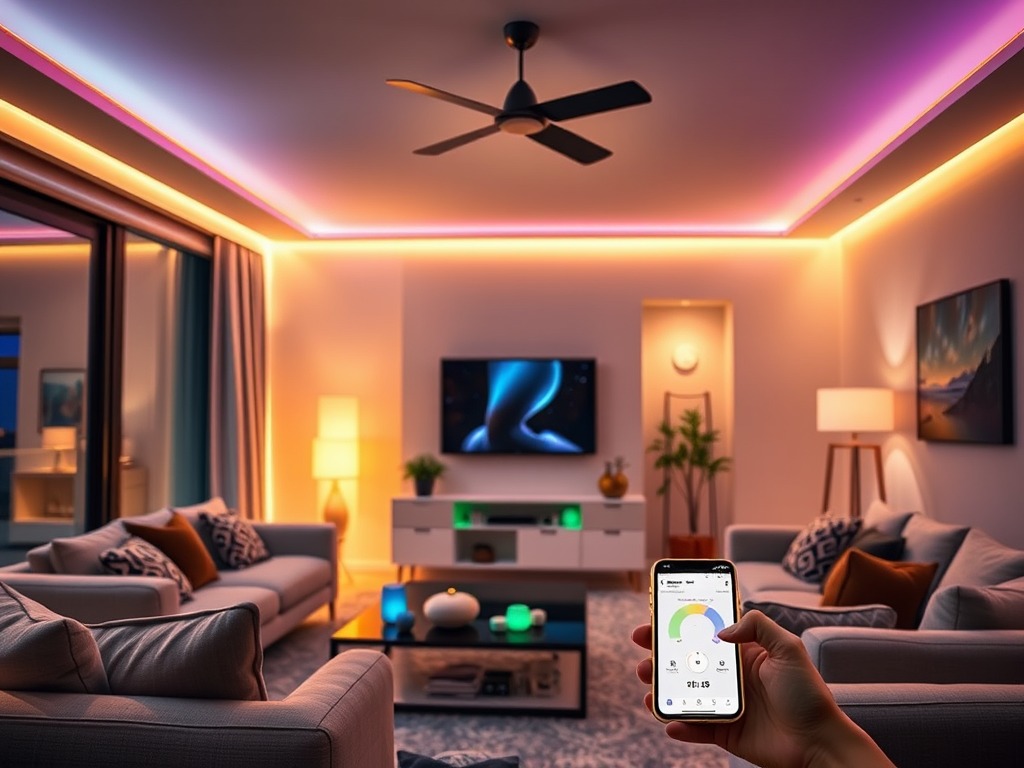
Smart lighting used to mean screwing in a Philips Hue bulb and calling it a day. In 2025, it means ceiling panels that react to your music, gradient strips that sync to your TV, and wall modules that actually talk to your Google Home, Alexa, and Apple HomeKit at the same time, without a hub, without a headache. That last part is thanks to Matter, and if you haven’t paid attention to it yet, now’s the time. This guide covers what Matter actually does, which lighting kits are worth buying this year, and where to put them so they don’t just look cool in unboxing videos but actually improve your space.
What Is Matter and Why Does It Actually Matter?
Short answer: Matter is the universal smart home standard that finally lets devices from different brands talk to each other. No more buying a Govee strip and realizing it won’t play nice with your Apple Home setup. No more three separate apps for three separate brands.
Apple, Amazon, Google, and Samsung all helped build the standard. When a device is Matter-certified, you scan a QR code, add it to whatever platform you use, and it works. Local control, faster response times, no relying on a third-party cloud server that might disappear in two years.
For homeowners who’ve been burned by dead ecosystems or incompatible gear, this is a real fix. Buy Matter-certified. Everything else is a gamble.
Why Upgrade to Smart Ambient Lighting?
The obvious answer is aesthetics. A $75 LED kit behind your TV or under your kitchen cabinets does more for the feel of a room than most furniture upgrades. But the practical reasons matter too.
Smart scheduling means your lights dim automatically at 9pm without you touching anything. Motion triggers mean a hallway light turns on when you walk past at 2am. Music sync means your home office actually feels like a place you want to be in. And LED tech keeps the electricity bill honest, especially compared to leaving a lamp on all day.
Start with one strip. Add a ceiling panel. Expand from there. The whole category is built to scale.
The Best Matter-Compatible Smart Lighting Kits for 2025
I tested and evaluated these based on setup friction, app quality, Matter reliability, and real-world use cases. Here’s what actually held up.
1. Nanoleaf Skylight Panels
In my testing, Nanoleaf’s Skylight panels are the most polished ceiling lighting product in this space right now. Each panel puts out 1,400 lumens, which is enough to actually light a room, not just accent it. They’re touch-sensitive, fully Matter-compliant via Thread and Wi-Fi, and work with Alexa, Google Assistant, and Apple HomeKit without any adapter nonsense.
Installation involves replacing your existing ceiling fixture, so it’s a 30-to-60-minute job depending on your comfort level with basic wiring. Not a weekend project, but not a contractor call either. Once they’re up, they’re up. This is a permanent upgrade, not a peel-and-stick situation.
I’d put these in a home office or primary bedroom where you want real light output plus scene control. They’re not cheap, but they replace a fixture you’d be buying anyway.
DigiDIY Pick
Nanoleaf Skylight Panels
1,400 lumens per panel, Touch-sensitive, Matter-certified via Thread and Wi-Fi. Works with Alexa, Google, and HomeKit. Best for home offices, bedrooms, and any room where you want ceiling lighting that actually does something. Around $199.
2. Govee Glide Y-Lights
If you’re setting up a streaming corner, a gaming desk, or a content creation space, skip the strips and go straight to the Govee Glide Y-Lights. These are modular wall bars that snap together into custom shapes. Music sync is built in and it’s actually responsive, not that vague pulsing you get from budget options.
Installation is peel-and-stick with a mounting system that feels more secure than the usual foam tape situation. Matter-ready firmware means they’ll slot into your existing smart home setup without a fight. Around $74, which makes them one of the better value picks on this list.
DigiDIY Pick
Govee Glide Y-Lights
Snap-together modular wall bars with real-time music sync and Matter-ready firmware. Great for streamers, gamers, and desk setups. Easy peel-and-stick install. Around $74.
3. Govee LED Strip Light M1
This is the one I recommend to first-timers. The Govee M1 is a 6.56-foot RGBIC+ gradient strip with Wi-Fi, Bluetooth, and Matter support baked in. You get full color gradients, not just a single color at a time, which makes a big difference behind a TV or monitor.
Stick it behind your TV, under a bed frame, along a desk edge, or under kitchen cabinets. Setup through the Govee Home app takes about five minutes. Alexa, Google Assistant, and HomeKit all recognize it without extra steps. At around $95, it’s the easiest entry point into Matter-compatible lighting on this list.
DigiDIY Pick
Govee LED Strip Light M1
6.56ft RGBIC+ gradient strip with Wi-Fi, Bluetooth, and full Matter support. Syncs with music and scenes. Works with Alexa, Google, and HomeKit. The easiest starting point for most homeowners. Around $95.
Where to Place Your Lights for Maximum Impact
Placement makes or breaks ambient lighting. A strip stuck in the wrong spot just looks like a glowing wire. Here’s what actually works.
Behind your TV: Bias lighting reduces eye strain during long viewing sessions and makes the picture look better. Run the strip around the back perimeter of the screen.
Under kitchen cabinets: Practical and good-looking. Great for cooking at night when you don’t want to blast overhead lights.
Along ceiling coves or crown molding: Indirect uplighting makes a room feel bigger. This is the hotel room trick and it works in residential spaces too.
Behind a desk or monitor: Reduces glare on your screen and keeps you from sitting in the dark during video calls.
Under bed frames: Soft nightlight effect that’s genuinely useful at 3am when you don’t want to wake anyone up.
Simple Automations Worth Setting Up
The hardware is only half of it. Here are a few automations that make smart lighting actually useful instead of just impressive to show guests.
Sunset routine: Lights shift from cool white to warm amber at 7pm. Easier on your eyes in the evening and ties into better sleep habits.
Movie mode: One voice command dims everything to 10% and shifts to a warm red-orange bias light behind the TV.
Wake-up scene: Bedroom lights ramp up from 0 to 60% over 20 minutes before your alarm. Gentler than a phone blaring at 6am.
Away mode: Lights turn on and off on a schedule when you’re traveling, which is a simple security deterrent.
All of these are doable in Alexa routines, Google Home automations, or Apple Shortcuts. With Matter-certified devices, you set it up once across whatever platform you prefer.
DigiDIY Verdict

![Best Tech for Pet Owners: Smart Gadgets Your Dog Will Love [2025 Guide]](https://digidiy.net/wp-content/uploads/2025/04/download-19-300x225.jpg)
WEEKLY TIPS
DIY Tips That Actually Work
Weekly smart home and electronics tips from Alex — no jargon, just results.
Free. No spam. Unsubscribe anytime.